
← Back to all documentation
Automation
Build simple follow-up flows with drag-and-drop logic
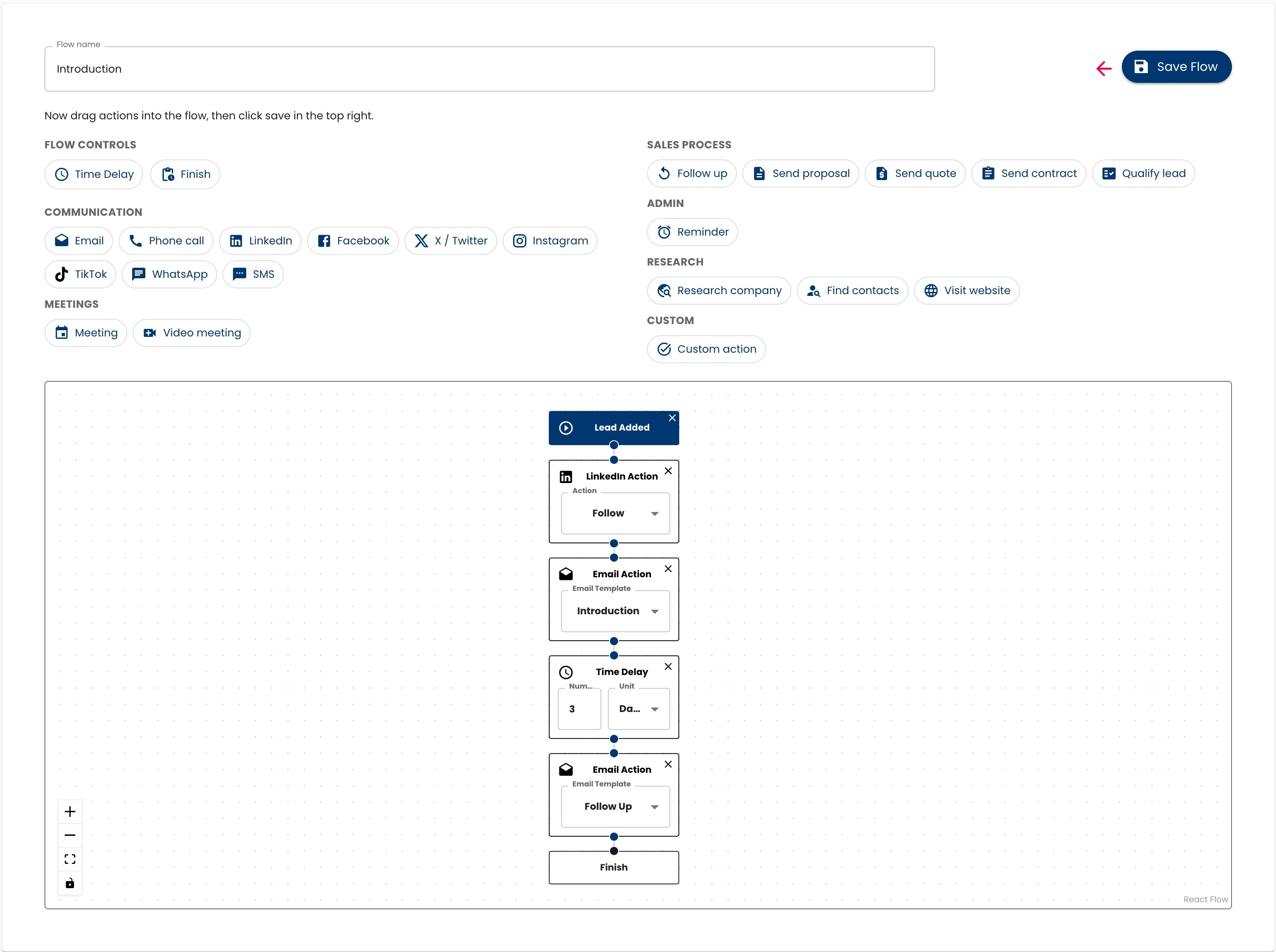
Automation flows let you follow up consistently by triggering actions like email or LinkedIn steps when a new lead is added.
- Create visual flows by dragging in action nodes and connecting them.
- Supported action types include email, social, and tasks.
- Choose time delays between steps - for example, wait 2 days before the next action.
- Flows run automatically when you add a lead or enrich it.
- Starter users get one active flow - upgrade to unlock more.